Catalog browsing and payment are separate steps
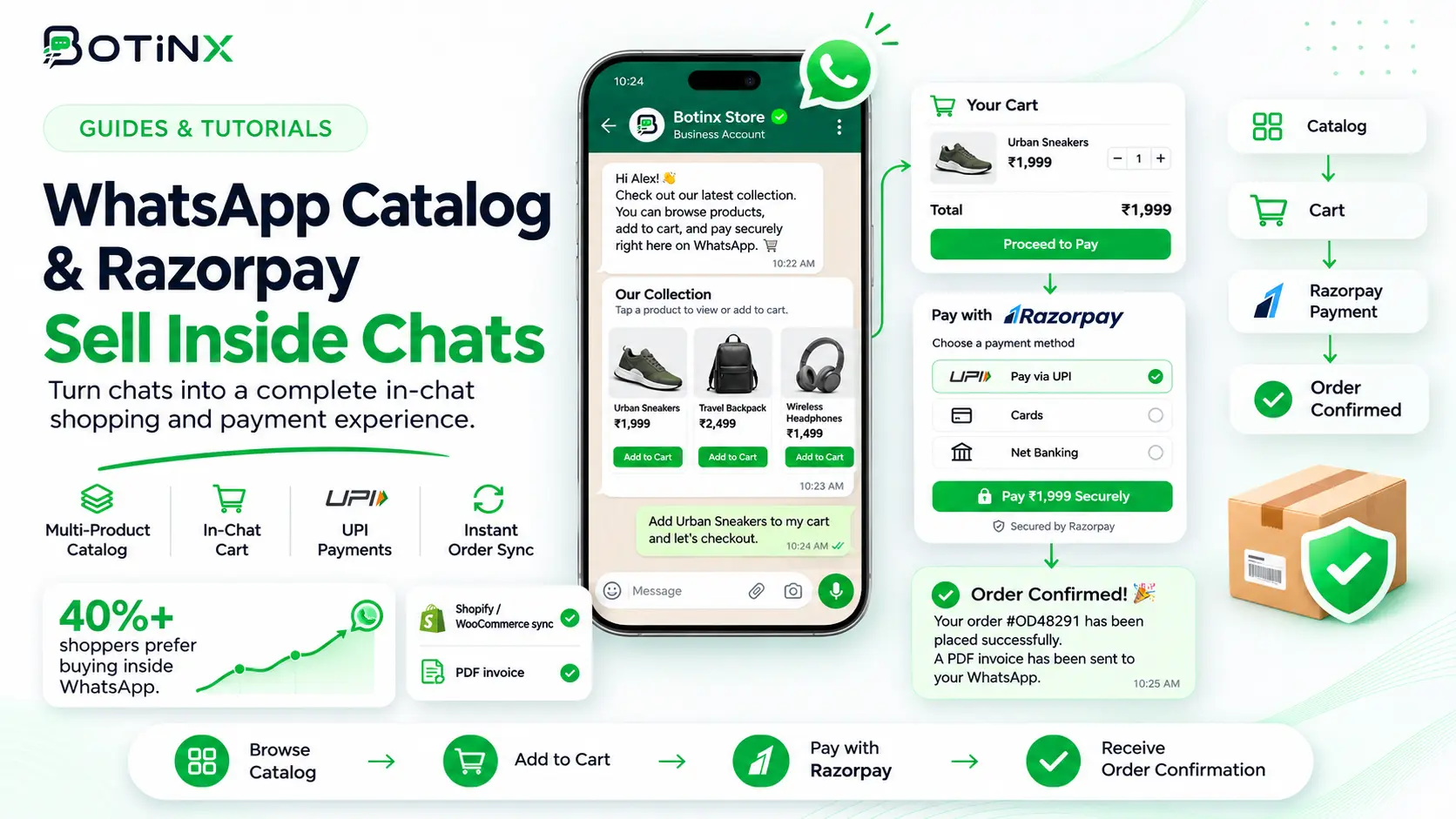
A WhatsApp catalog helps customers discover products and ask questions. A Razorpay payment link provides a route to an authorized checkout. Sending that link in chat does not necessarily mean every part of payment happens inside WhatsApp; the experience can open a hosted checkout or a supported payment application.
Start with Botinx's commerce integrations to evaluate the complete journey. Distinguish three states: a customer expressed interest, an order was prepared and payment was verified. Confusing these states can lead to incorrect receipts, duplicate payment requests or fulfillment before funds have been confirmed.
Prepare reliable catalog information
Check product names, identifiers, images, prices and availability in the catalog source. Decide which system owns the authoritative price and stock. If your store and catalog differ, resolve the mismatch before customers are invited to buy from a message.
Verify that the products and commerce activity are eligible under the applicable platform rules. Test the supported product-message format on a real device. Do not assume every catalog item, variant or regional payment feature is available through every connection. Keep a human route for customers whose question cannot be answered by the available product information.
Confirm the order before creating a payment request
Collect the selected item, quantity and any required delivery details. Show the customer a clear total with shipping, discounts and other applicable charges explained. Calculate the amount using the authorized business system rather than letting an AI assistant invent or approximate it.
Create or reference a stable order identifier so payment can later be reconciled. If the order changes after a link is issued, follow a defined process for updating or replacing the request. Do not leave several active links with different amounts without a way to determine which one remains valid. Test cancellations and expired requests as part of the workflow.
Create and send the Razorpay payment link
Razorpay supports creating payment links through its dashboard or APIs. In a connected workflow, confirm that your account and integration are configured for the intended operation. Keep credentials in authorized server-side settings and never place secrets in messages or public pages.
An illustrative customer message is: “Your order {{1}} totals {{2}}. You can review and pay securely here: {{3}}. If anything looks incorrect, reply before paying.” Use the appropriate sending format and approved template where required. The link should point to the expected payment provider and carry the correct order reference.
Verify payment from the trusted source
A customer saying “paid,” opening the link or sharing a screenshot is not the same as a verified successful payment event. Confirm payment through the authorized gateway or store record. Check the amount, currency, order reference and the relevant final status before marking the order paid.
Handle duplicate webhook events safely so the same payment does not create multiple orders or receipts. Account for delayed events and the possibility that a browser redirect happens before the server-side confirmation is processed. If verification is uncertain, place the case in an operator review path and explain the status honestly to the customer.
Separate payment confirmation from fulfillment and invoices
After verified payment, update the order through the supported store workflow and send an appropriate confirmation. Fulfillment, tax invoices and refunds may involve separate systems and business processes. Do not assume connecting a payment gateway automatically generates every required document or dispatches the order.
Make the customer-facing statement match the actual completed action. “Payment received” is different from “order shipped.” If a store update fails after payment succeeds, notify the operations team and preserve the payment reference. The customer should not be asked to pay again simply because a downstream integration is temporarily unavailable.
Test failures and support handover
Test successful payment, failed payment, abandoned checkout, an expired link, duplicate events, a changed amount and a refund request. Verify both payment and order state. Check what happens when the customer pays after an agent has cancelled the order or issued another link.
Route ambiguous cases to a person with the necessary permissions. AI can explain approved payment instructions, but it should not approve refunds or promise settlement times without an authorized basis. Include Botinx's team inbox in the test so the support agent receives the order and payment context needed to resolve the case.
Measure checkout performance correctly
Track product inquiries, prepared orders, links issued, verified payments and fulfilled orders separately. A payment-link click-through rate does not equal a purchase conversion rate. Record the attribution method if a payment is associated with a particular campaign.
Review failure reasons before increasing follow-up frequency. Customers may need clarity about delivery, stock or the payable total rather than another reminder. Include gateway charges, messaging costs and refunds when calculating the economics. Avoid promising that adding a catalog or link will eliminate checkout abandonment; it addresses only part of the buying journey.
Commerce questions and primary references
Is a payment link the same as native in-chat payment? No. The supported checkout experience depends on the product, region and integration.
Can Botinx change every store automatically? Verify the exact actions supported by your configured integration and plan.
Where do I confirm payment-link behavior? Use Razorpay's official documentation, Botinx's Razorpay integration information and the WhatsApp messaging policy. For COD-specific operations, read the order confirmation guide.