Stay close to customers on mobile.
Keep the Business app as part of your daily routine. Owners and sales teams can continue supported one-to-one conversations on the number customers already know.
Keep the WhatsApp Business app your team already uses. Connect the same business number to the Official WhatsApp Business API through Botinx for a shared inbox, campaigns and automation.
For eligible WhatsApp Business app accounts. Connected through Meta Embedded Signup.
Keep the relationship. Add the tools.
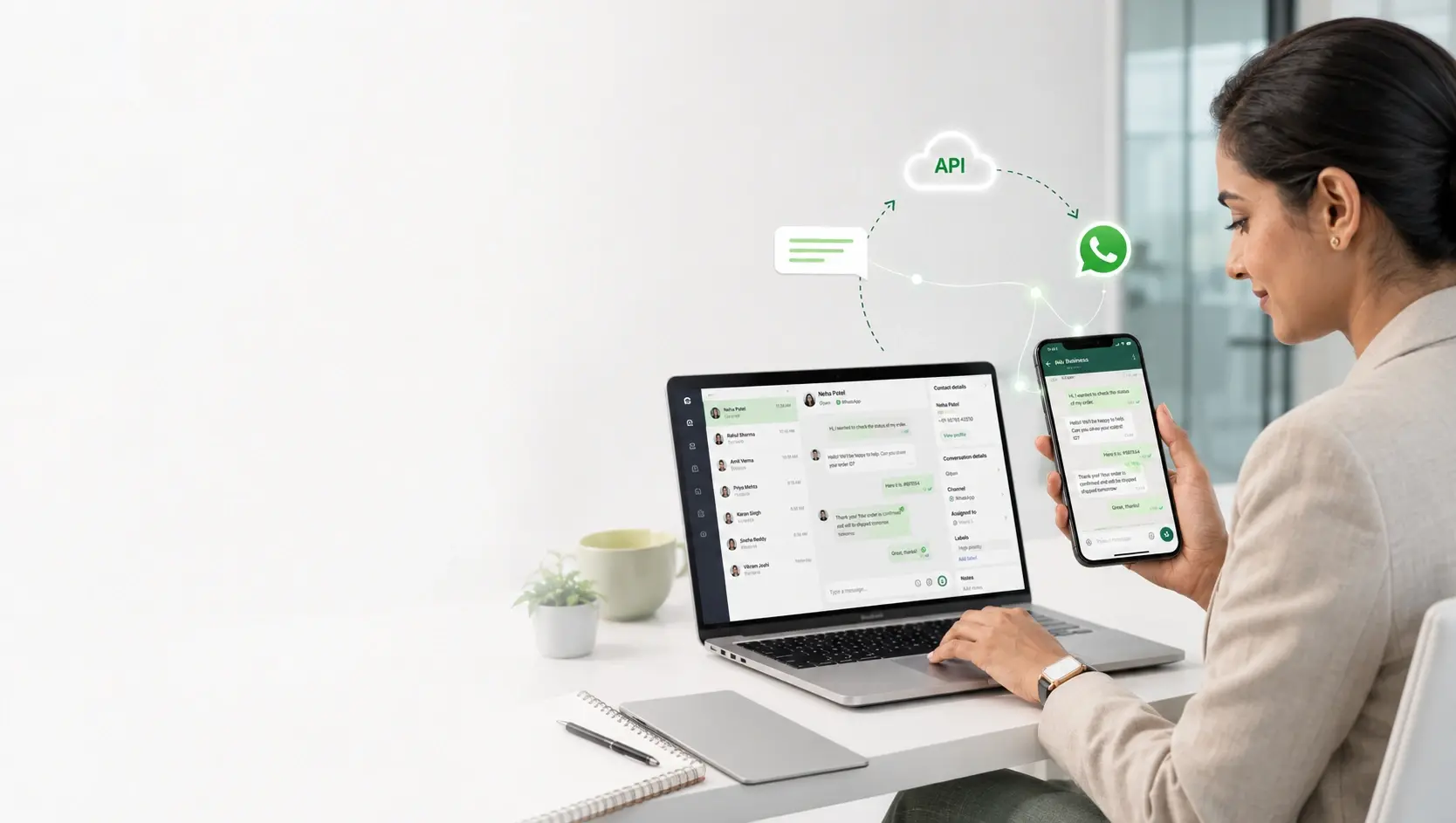
WhatsApp Coexistence connects an eligible WhatsApp Business app number to Official WhatsApp Business API while keeping the mobile app available. Your team can continue customer conversations on the phone and use Botinx to organize replies, configure automations and send approved template campaigns from that same number.
Keep the Business app as part of your daily routine. Owners and sales teams can continue supported one-to-one conversations on the number customers already know.
Use Botinx for shared inbox assignments, contact context, configured automations and template campaigns. Choose the tools your team needs as your messaging operations grow.
Messages & customer context
Botinx handles supported mobile-app messages, contact updates and history imports supplied by Meta. Your team can check the connection and import status before relying on the inbox for follow-up.
Explore the shared team inboxSupported messages sent from the Business app are recorded in Botinx when Meta delivers the corresponding message events.
Botinx requests available contacts and up to 180 days of supported history during onboarding. Availability and completion depend on Meta and your sharing choice.
Connection readiness and history import are separate. Check for pending, partial or failed imports; do not assume all old media or every chat is available.
Connect with confidence
Open Botinx channel settings and choose the connection for your existing WhatsApp Business app number. Have the primary phone and access to the relevant Meta business portfolio ready.
Follow Meta's prompts to select your business assets, connect the eligible number and confirm the connection in your WhatsApp Business app. Review the permissions and history-sharing options presented.
Review the connection and available import status in Botinx. Test messages from the app and inbox before enabling your campaigns or automation rules.
Meta determines account eligibility and available app features. Review the setup prompts for your number and keep the Business app connection active. Setup time varies with account access and sync availability.
Plan your messaging
Coexistence connects the app and API. It does not bypass customer consent, message templates or account quality requirements.
Before you connect
Numbers, history, eligibility and costs—explained before you get started.
WhatsApp Coexistence allows an eligible business to use the WhatsApp Business app and the Official WhatsApp Business API with the same phone number. Botinx connects that number to its shared inbox, campaign tools and automation features.
Yes, if Meta accepts the number for the Business app onboarding flow. Coexistence is intended for an existing WhatsApp Business app account. Eligibility is checked during setup; a personal WhatsApp Messenger account is not the same account type.
Botinx can request available contacts and up to 180 days of supported chat history during coexistence onboarding. Import depends on your sharing choice, Meta's availability and successful processing. Check the sync status rather than assuming every conversation or media attachment has been imported.
Botinx processes the mobile-app message events supplied by Meta and adds supported messages to the conversation history. Sync depends on an active connection and event delivery, so it should not be treated as an instant or complete backup of everything on the phone.
No. API messages still follow Official WhatsApp Business API rules. The 24-hour customer service window opens or refreshes when the customer messages your business. Outside that window, use an approved message template and obtain the appropriate customer opt-in.
Your Botinx subscription and applicable WhatsApp Business Platform message charges are separate. Meta's pricing depends on message category and recipient market, with free service messages in the customer service window and other applicable exceptions. Check current Botinx plans and official Meta pricing rates before budgeting a campaign.
No. Connecting through Meta Embedded Signup does not grant a badge or make Botinx's customer a Meta Business Partner. Verification products and account eligibility are separate from setting up coexistence.
Keep your number. Build your next chapter.