The main difference is how your team works
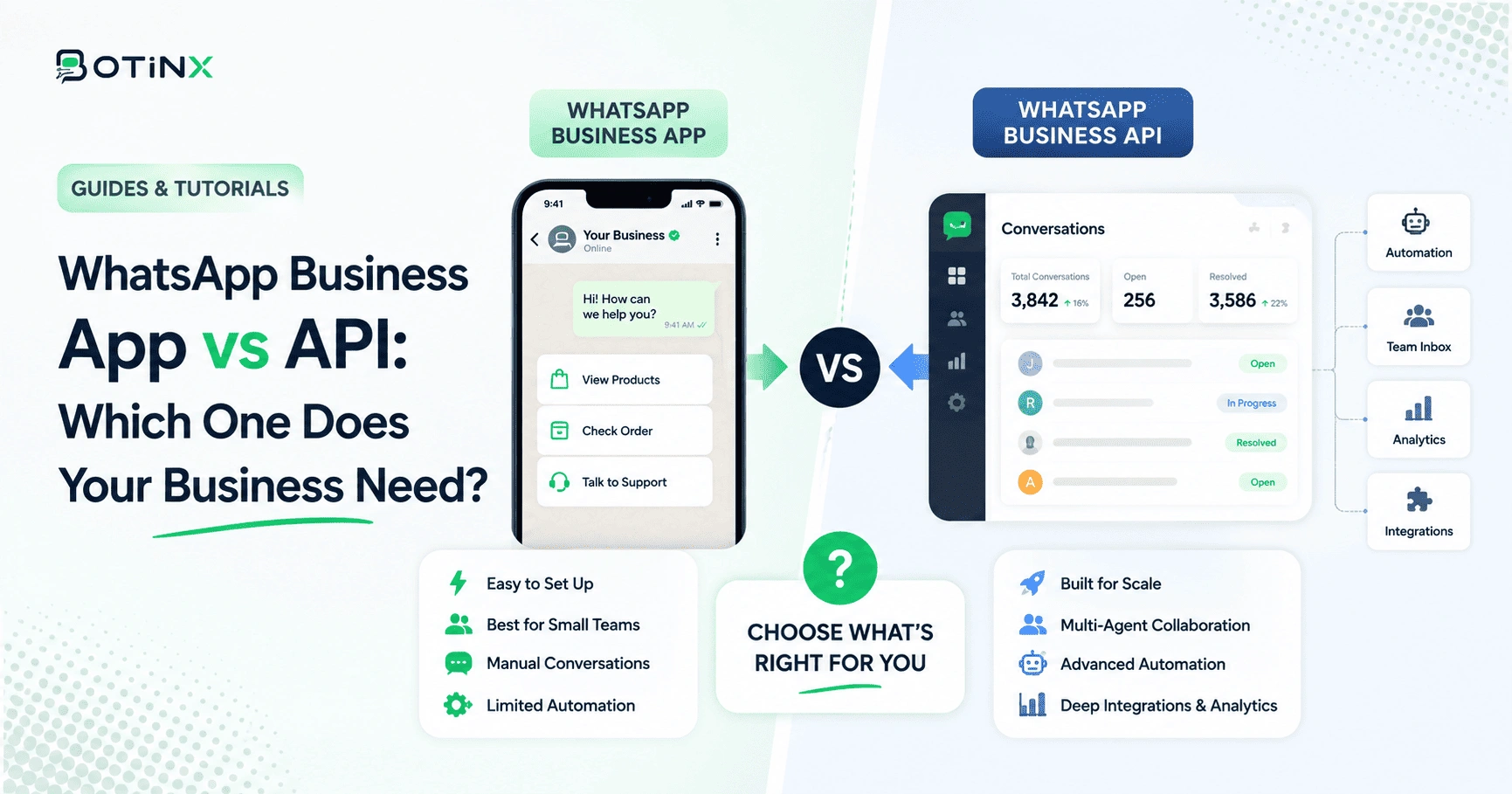
The WhatsApp Business App is a ready-to-use application for business conversations. The Business Platform API connects WhatsApp to software for shared workflows, integrations and automation. Moving to the API is primarily an operational decision: do you need more structured handling than your current app process provides?
For businesses ready to evaluate an API-based workspace, start with Botinx. Its campaign, inbox and automation capabilities can help bring related tasks together. A small owner-managed business may still be well served by the app. Choose based on your actual communication needs rather than assuming every business must upgrade immediately.
Compare the capabilities that affect daily work
| Requirement | Business App | API with business software |
|---|---|---|
| Getting started | App-based setup and manual operations | Account connection plus software configuration |
| Team workflow | App and supported linked-device capabilities | Assignment, roles and reporting depend on provider |
| Automation | Built-in app features | Workflows and AI depend on connected software |
| Business systems | Often manual coordination | Supported API and integration workflows |
| Cost | App features and available paid offerings vary | Software and applicable messaging charges |
Use this table to identify what you need to test, not as a promise that every API product includes every feature. Device allowances, paid app offerings and provider packages can change. Verify the current configuration for your account.
When the Business App is a reasonable choice
The app can suit a business where one person or a small team handles a manageable number of customer conversations manually. If the team can respond reliably, keep order context organized and honor customer preferences, adding another platform may not be the first priority.
Before upgrading, identify the specific bottleneck. Are replies missed when the owner is away? Are several staff members answering the same person? Does someone copy order updates by hand? Record the frequency and business cost of those problems. That evidence makes the decision clearer than a generic claim that an API is always more professional.
When an API-based platform becomes useful
Consider a connected platform when you need repeatable audience selection, automated events, shared ownership or integrations with business records. For example, a sales team may need to route a new inquiry, preserve its source and record follow-up without relying on a manager to forward screenshots.
Evaluate Botinx's shared inbox and automation builder with a complete test journey. Confirm what the agent sees, how an assignment changes, and whether automation stops after a human takes control. A useful integration should reduce daily coordination work, not merely add another dashboard that the team must monitor.
Can you keep the Business App on the same number?
Eligible accounts may use coexistence to retain supported Business App use alongside an API connection. This changes the old assumption that every API migration requires giving up the app. Eligibility, onboarding and synchronization behavior must still be checked for the individual account and provider.
Read the coexistence guide before moving a working number. Test replies from both surfaces and verify how human ownership is handled. Do not assume all old chats, app features or contact data will appear identically in the new workspace. Agree on the team's source of truth for open conversations.
Compare costs and policy responsibilities
For the API option, include subscription, messaging, additional agents and any integration work in your budget. For the app option, consider the staff time spent on manual coordination and the cost of missed inquiries. Neither calculation should rely on a guaranteed response rate or sales uplift.
Permission and customer experience matter in both setups. API templates and automation do not make unwanted outreach acceptable. Document how opt-outs are handled, who responds to complaints and how the team stops a faulty workflow. Use the API pricing guide to separate software costs from messaging usage.
A practical decision and migration checklist
Write down three workflows your current setup struggles with. Choose one for a pilot, prepare representative test cases and define success before connecting production traffic. Include an ordinary request, an unexpected question and a human handover. The pilot should demonstrate that your team can operate the new process comfortably.
Before switching, confirm ownership of the number and business assets, available exports, expected interruption and support contacts. Plan training and explain which surface each team member should use. After launch, review unresolved chats and duplicate replies each day until the new process is stable. Keep the change proportionate to your business needs.
Common questions and further reading
Is the API itself an inbox? No. A provider or custom application supplies the interface and workflow.
Does API access remove sending restrictions? No. Account limits, customer eligibility and messaging rules still apply.
Should I delete the app account first? Do not do so without checking your applicable onboarding or migration route. Start with Meta's Business App information, Business Platform information and Botinx coexistence.