The Big Dilemma: Why Businesses Feared the WhatsApp API
For years, businesses faced a painful tradeoff when upgrading to the official WhatsApp Business API: You were forced to delete your WhatsApp Business mobile application.
If a customer called your WhatsApp number or sent a voice note, your phone wouldn't ring. Everything had to be managed through a web dashboard. For SMBs, real estate consultants, and D2C brand owners who rely on personal relationships and on-the-go calls, this sacrifice was too big to make.
What is WhatsApp Coexistence Mode?
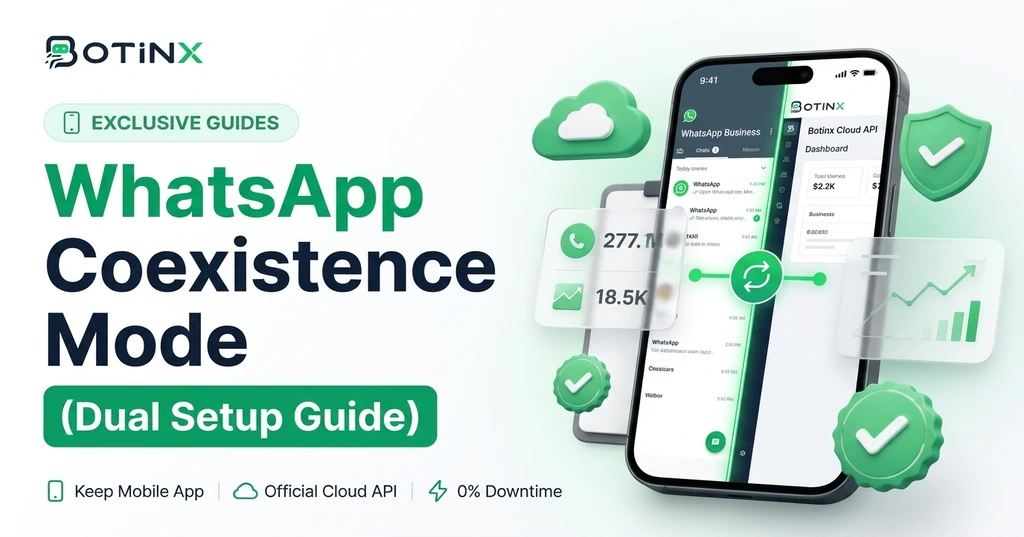
WhatsApp Coexistence Mode is Meta's official hybrid infrastructure architecture that bridges the WhatsApp Business Mobile App and the enterprise Cloud API. Under this setup:
- Your existing WhatsApp Business mobile app continues working normally on your Android or iPhone.
- You can still make/receive WhatsApp audio and video calls and chat personally.
- At the exact same time, Botinx connects to the Cloud API backend on that same phone number to send broadcast marketing campaigns, run automated AI agents, and trigger CRM workflows.
How Message Routing Works (Who Handles What?)
A common question is: "If a customer replies, will I see it on my phone or in Botinx?"
With Coexistence Mode, messages sync bi-directionally:
- Outbound Campaigns: When you send a broadcast to 5,000 customers via Botinx, it dispatches through Meta's high-speed Cloud API servers without clogging your physical phone.
- Incoming Replies: The incoming message appears simultaneously in your Botinx shared team inbox AND on your mobile WhatsApp app!
- Human Override: If your sales agent replies from their phone, Botinx detects the human reply and automatically pauses the AI chatbot for that chat, preventing awkward message collisions.
Step-by-Step: Enabling Coexistence Mode on Botinx
Setting up Coexistence on Botinx takes less than 3 minutes:
- Log in to your Botinx Dashboard and navigate to Channels → Connect WhatsApp.
- Select "Coexistence Mode (Mobile App Dual Setup)".
- Authorize your Meta Business Account via the official embedded signup window.
- Verify your active phone number via SMS/Voice OTP.
- Done! Your mobile app remains active, and your Botinx Cloud API dashboard is instantly live.
Top 4 Business Benefits of Dual Mode Setup
- Zero Disruption: You never lose your existing chat histories, contact lists, or mobile access.
- WhatsApp Calling Preserved: Keep receiving high-intent inbound customer calls directly on your phone.
- 100% Anti-Ban Safety: All automated bulk broadcasts route through official Meta approved Cloud API channels, completely eliminating ban risks.
- Free Monthly Service Conversations: Benefit from Meta's 1,000 free monthly service conversations without extra platform surcharges.
Ready to Upgrade Your WhatsApp Setup?
Stop choosing between convenience and automation. With Botinx Coexistence Mode, you get the best of both worlds. Connect your WhatsApp Business number now and experience zero-downtime marketing.