01
Define the Customer Trigger
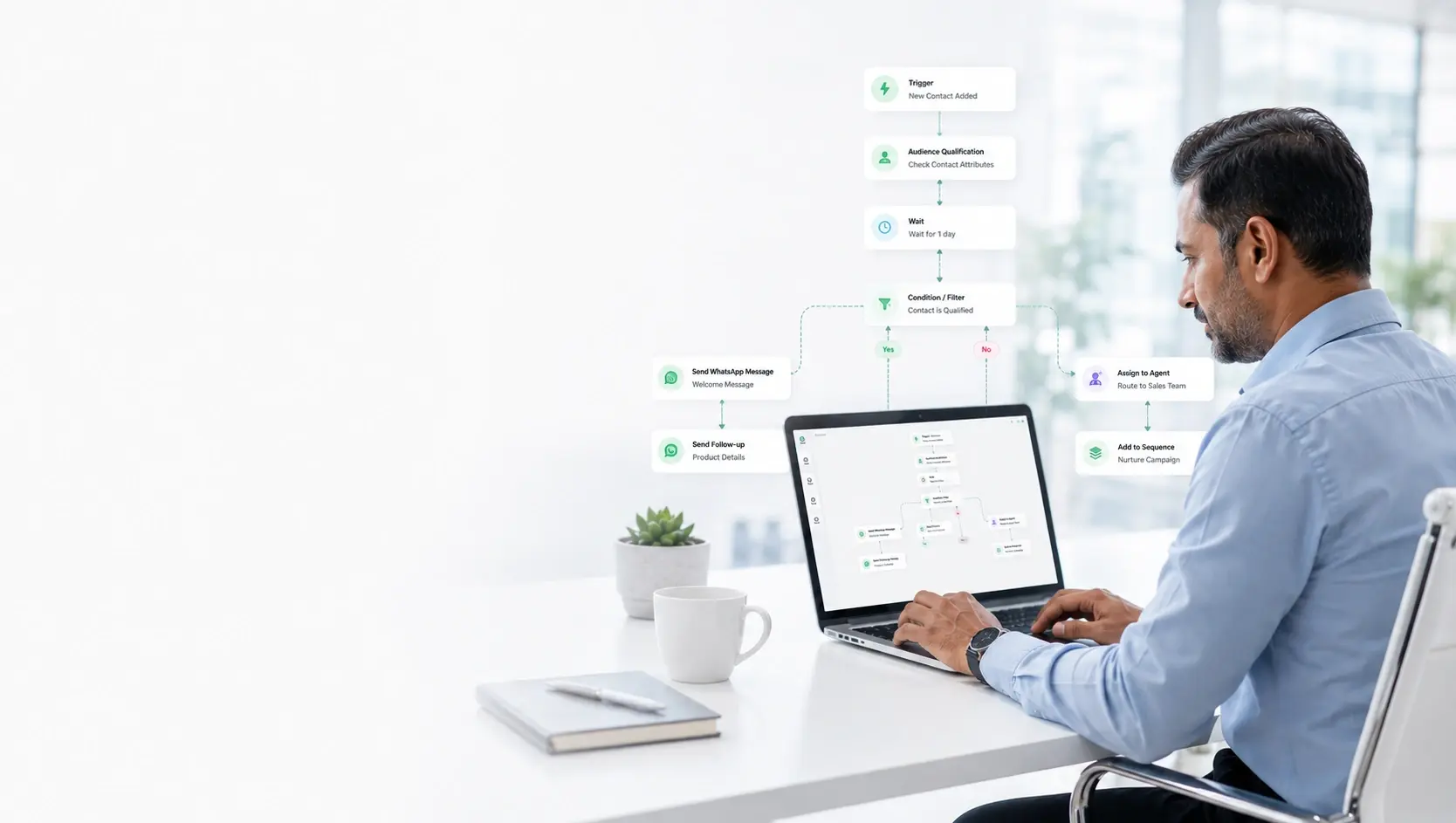
Choose how templates triggers—from inbound ad clicks, Shopify events, CSV imports, or incoming keywords.
Create and manage reusable messages without losing track of approval status.
Prepare marketing, utility, and authentication templates with headers, variables, media, buttons, and previews. Submit them through the connected WhatsApp account and monitor their status from the same platform.
Each step connects with contact CRM data, automated logic, and team ownership, giving customers a frictionless experience.
Choose how templates triggers—from inbound ad clicks, Shopify events, CSV imports, or incoming keywords.
Set up Meta-approved templates, rich media variables, interactive button choices, and conditional routing rules.
Monitor real-time delivery receipts, open rates, per-contact click tracking, and agent resolution speeds.
Message templates
Approval and performance
Botinx connects customer profiles, message history, broadcast engagements, automation decisions, and agent assignments so your team always has full context before responding.
Complete customer history visible beside every conversation
Automated qualification steps keep data structured in CRM
Instant human handover with full chat transcript context preserved
Explore specific, tailored workflows where this capability solves critical operational and revenue bottlenecks.
Manage pre-approved templates for new collection launches, abandoned cart recovery offers, and automated order delivery alerts.
Maintain verified utility templates for clinic appointment confirmations, lab report download links, and prescription refill alerts.
Send compliant utility templates for premium due dates, transaction receipts, and KYC document request notices without policy rejections.
Create rich media templates with video headers, brochure download buttons, and location map pins for property investor outreach.
A faster, clearer customer journey with fewer missed leads, higher conversion rates, and seamless human agent follow-up.
Get message templates approved by Meta within minutes with zero formatting errors
Maintain a centralized library of high-performing messaging playbooks for your entire team
Analyze response rates and engagement metrics on a template-by-template basis
Everything you need to know about setting up and maximizing ROI with templates.
Meta defines three categories: 1) Marketing (promotional offers, product announcements), 2) Utility (order confirmations, shipping updates, reminders), and 3) Authentication (one-time passwords/OTPs).
Most templates submitted through Botinx are automatically approved by Meta's AI within 1 to 5 minutes.
Botinx displays the exact reason for rejection (e.g. incorrect category or variable formatting). Our template composer highlights potential policy issues before submission to prevent rejections.
Yes. Templates support image, video, document (PDF), and location headers, along with dynamic text bodies and up to 10 interactive buttons.
Combine these complementary capabilities to build a powerful end-to-end customer journey.
The best of both worlds: Keep your familiar WhatsApp Business mobile app for personal chats and phone calls, while Botinx powers high-volume broadcast campaigns and AI automations on the exact same number.
CampaignsReach opted-in customers with timely, relevant messages—and see what happens after you send.
AutomationTurn repetitive conversations into clear, reliable customer journeys.
Try Botinx for free or book a focused demo to see how campaigns, automation, and team conversations fit your business.